
The Issues page (/app/issues) and Quick Wins dashboard provide an actionable, prioritized backlog of every technical performance defect detected on your Shopify storefront.
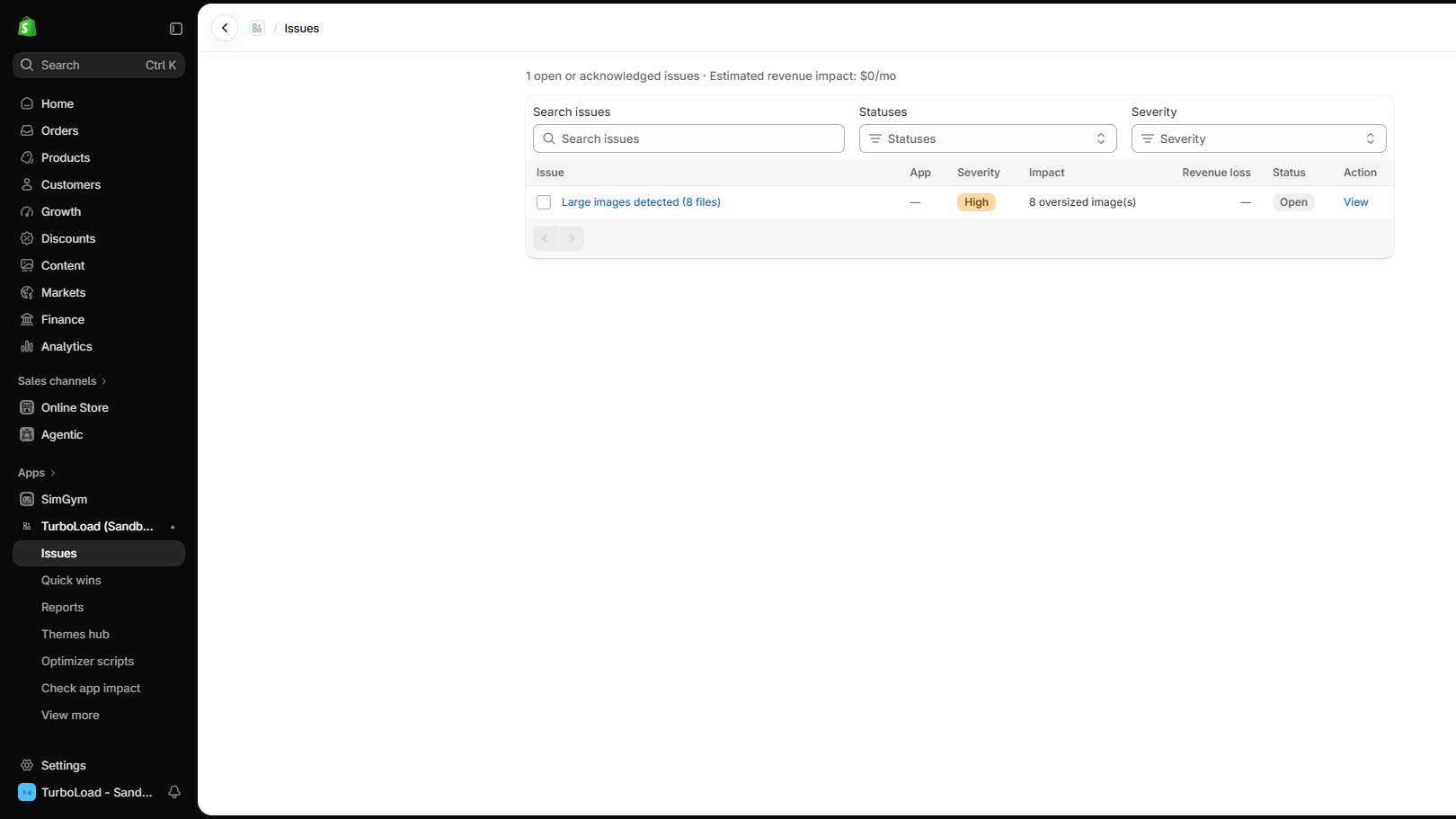
How does TurboLoad identify and prioritize performance issues? #
TurboLoad continuously monitors your storefront's Core Web Vitals and third-party script execution. When a performance bottleneck is detected—such as un-optimized hero images, main-thread locking JavaScript, or layout shifts—TurboLoad calculates its severity tier (Critical, High, Medium, Low) and estimates the potential monthly revenue impact. Merchants can then apply 1-click fixes or copy verified Liquid code snippets without manual debugging.
Prioritized Issue Detection #
TurboLoad groups detected storefront defects into three actionable severity tiers:
| Severity | Color Badge | Impact on Shoppers | Recommended Action |
|---|---|---|---|
| Critical | 🔴 Red | Drastic main-thread locking (>500ms), broken LCP hero assets, or massive uncompressed images. | Resolve immediately to prevent bounce-offs. |
| High | 🟠 Orange | Multiple un-lazyloaded images, synchronous third-party scripts, or excessive DOM nodes. | Address within the current sprint. |
| Medium / Low | 🟡 Yellow / Blue | Minor font preloading opportunities or minor stylesheet cleanups. | Optimize during routine theme maintenance. |
Estimated Revenue Impact Modeling #
TurboLoad calculates an Estimated Monthly Revenue Impact (e.g. $1,200/mo potential lift) for each identified issue:
- Revenue Modeling Principle: Faster mobile load times directly correlate with higher checkout conversion rates (studies consistently demonstrate that every 100ms improvement yields up to 1% higher conversion).
- Business Prioritization: Use the dollar value to prioritize fixes that provide the greatest financial return on investment.
Managing and Resolving Issues #
1. Filter and Search #
Use the controls at the top of the table:
- Search Issues: Filter by keyword (e.g.,
image,script,font,LCP). - Statuses: Filter between
Open,Acknowledged, orResolved. - Severity: Filter specifically for
CriticalorHighissues.
2. View Issue Details & 1-Click Fixes #
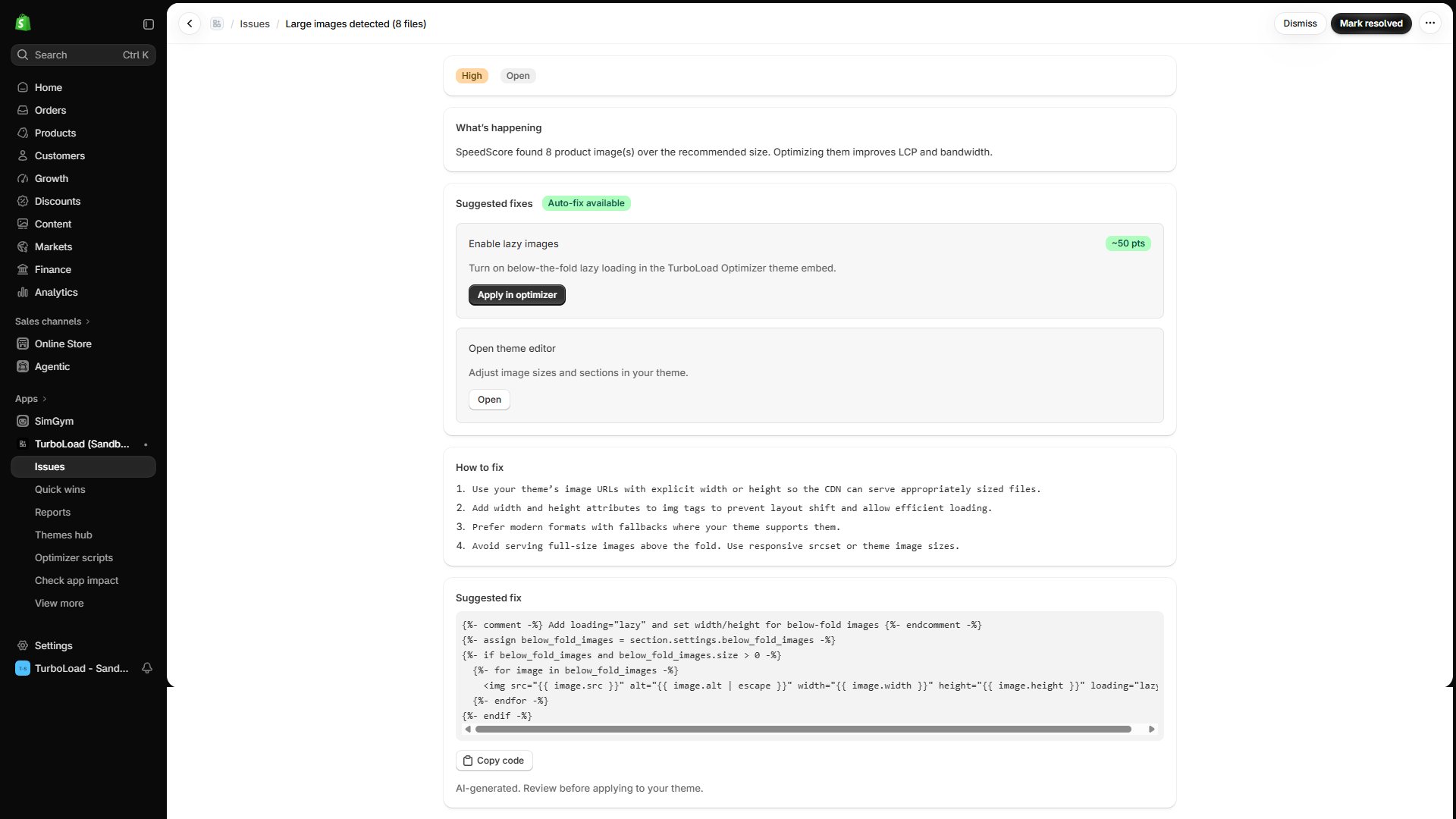
Click View on any issue row to open its dedicated diagnostic page:
- What's Happening Summary: Plain-English explanation of why the defect is slowing down your store.
- Auto-Fix Available: If the issue can be automatically remediated, click Apply in Optimizer (e.g. automatically enable below-the-fold image lazy loading).
- Step-by-Step Instructions: Explains how your development team can optimize image URLs and responsive
srcsetmarkup. - Copyable Liquid Code Snippets: Ready-to-paste Liquid templates with syntax-checked logic.
- Projected Score Lift: Visual Before & After cards displaying your estimated score improvement (e.g.
88 ➔ 96 (+8 points)).
3. Resolve or Dismiss #
- Once resolved, click Mark resolved in the top right. TurboLoad will verify the fix during the next scanning cycle.
- If an issue is intentional or temporary, click Dismiss to remove it from your active dashboard.
Quick Wins Action Center #
The Quick Wins dashboard (/app/recommendations) groups fixes by category to give you the highest possible score lift in the shortest amount of time:
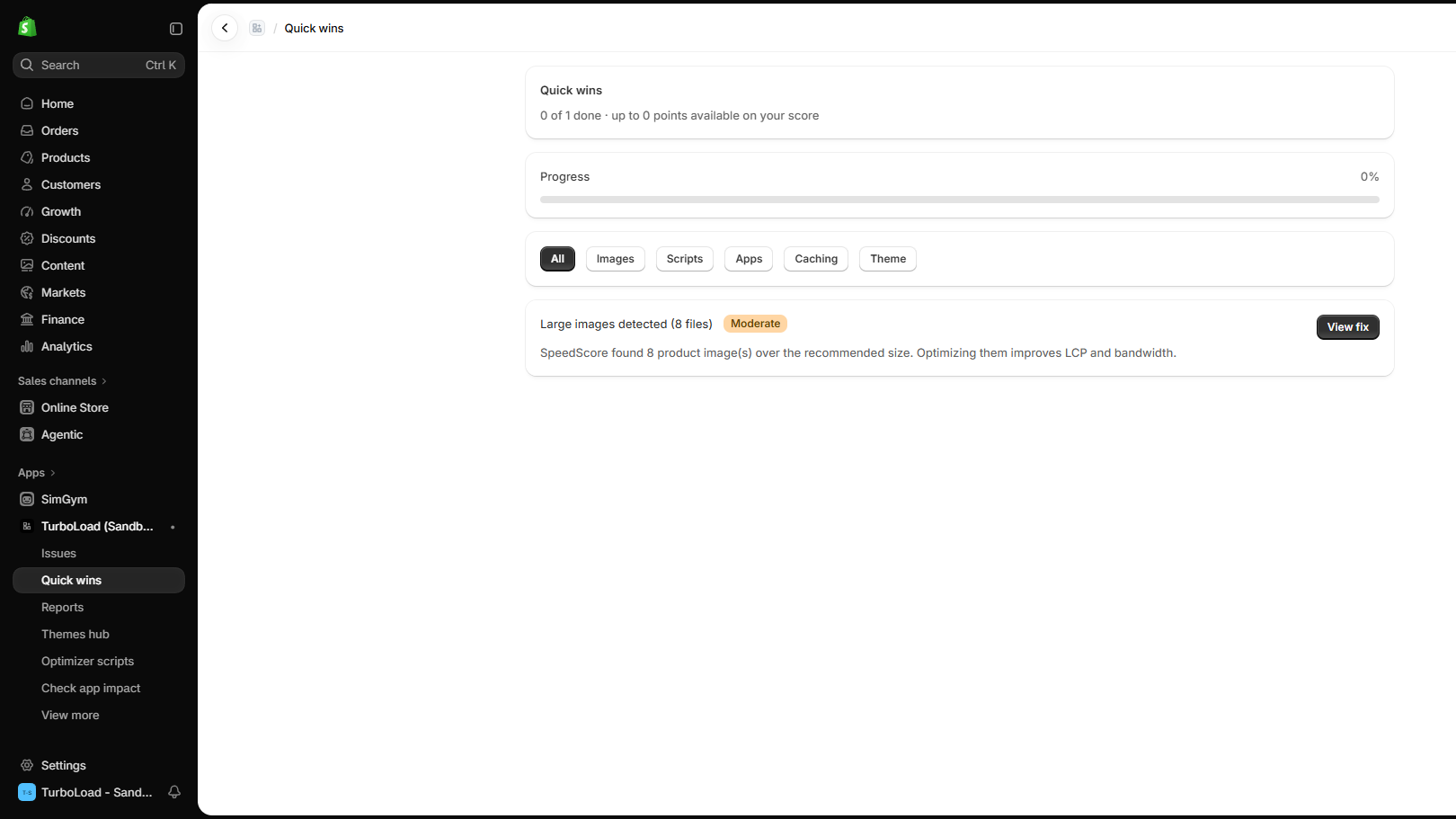
- Progress Meter: Tracks completed fixes (e.g.
0 of 1 done · up to +8 points available). - Category Filters: Filter recommendations by category:
- 🖼️ Images: Lazy loading, explicit width/height, WebP/AVIF formatting.
- 📜 Scripts: Deferral, elimination of duplicate tracking pixels.
- 🧩 Apps: Identifying slow widgets and configuring runtime exclusions.
- ⚡ Caching & Theme: Critical preconnects and Liquid optimization.
- View Fix CTA: Jumps straight to the 1-click optimizer fix or theme editor instruction.