
Automated theme optimization, zero-impact telemetry, and slow-app attribution built for Shopify.
Welcome to the official merchant documentation for TurboLoad: Core Web Vitals & AI Theme Fixer, available at turboload.ai.
TurboLoad is a comprehensive Shopify performance platform engineered to help high-growth merchants maximize conversion rates, search engine rankings (SEO), and shopper experience through faster load times.
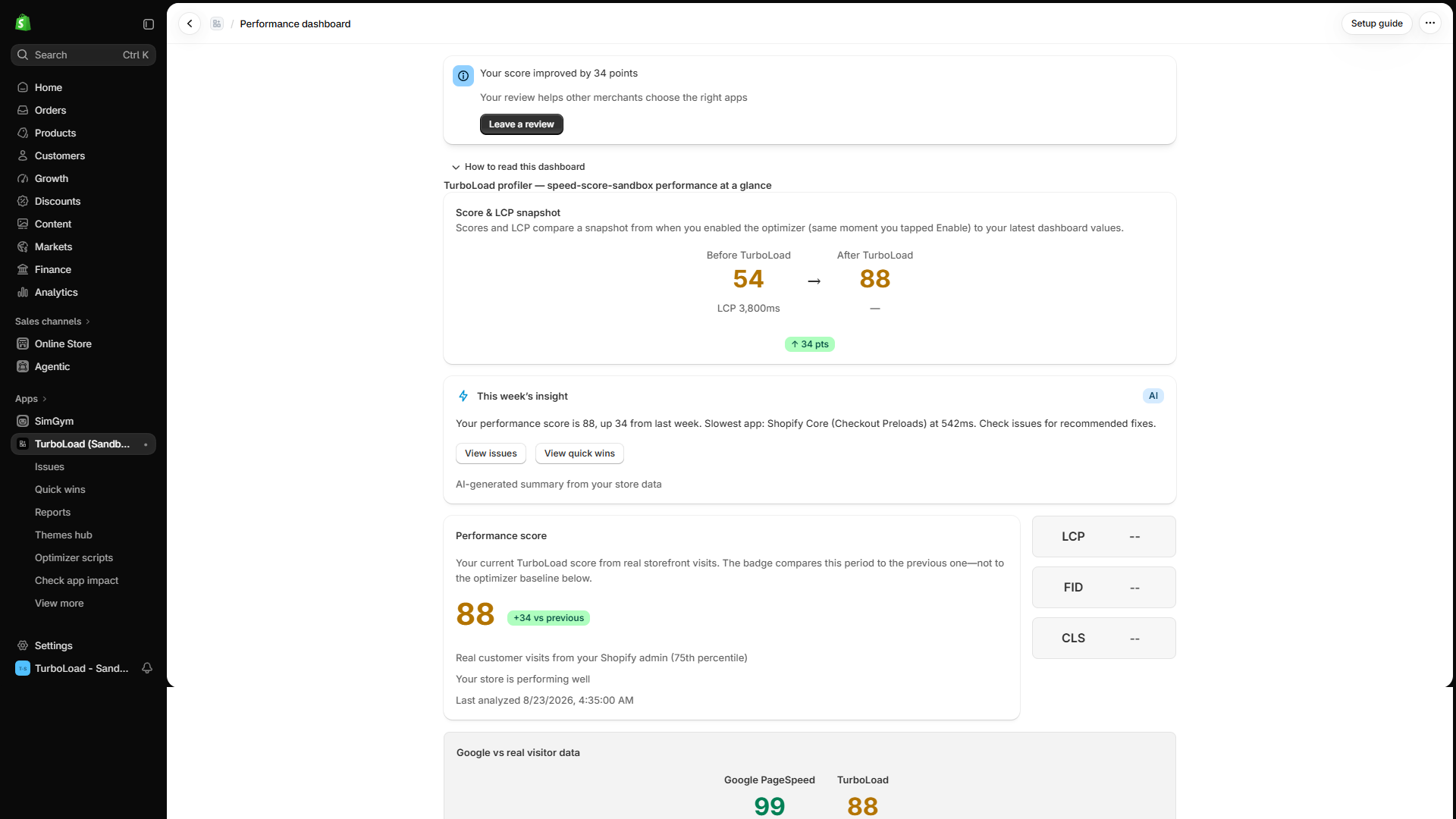
What is TurboLoad? #
TurboLoad is an all-in-one Shopify speed optimization app that automatically detects and resolves Core Web Vitals bottlenecks (Largest Contentful Paint, Interaction to Next Paint, and Cumulative Layout Shift). Unlike passive monitoring tools, TurboLoad safely duplicates your live theme into an isolated draft sandbox, applies automated code and asset enhancements without downtime, and provides 1-click publishing once verified.
Why TurboLoad is Different: The Three Pillars #
Independent eCommerce studies show that every 100ms improvement in storefront load time lifts conversions by up to 8%. TurboLoad helps merchants unlock this growth through three foundational pillars:
- Zero-Impact Storefront Telemetry:
TurboLoad measures real shopper experiences directly through Shopify's native web performance telemetry and an ultra-lightweight (under 5KB) passive theme extension. The app never injects heavy tracking overhead or slows down your storefront to measure it. - Safe Sandbox Theme Remediation:
Never risk breaking your live store. TurboLoad automatically duplicates your published theme into an isolated draft sandbox, executes automated speed optimizations, generates an interactive before/after preview link, and lets you review every enhancement before publishing live with a single click. - Actionable Slow-App Attribution & AI Guidance:
Quickly identify exactly which third-party marketing widgets, live chats, and tracking tags are blocking the browser's main thread and slowing down mobile user interactions (INP) or hero image rendering (LCP). Use our built-in AI Performance Advisor to get step-by-step resolution plans.
Documentation Navigation Guide #
| Section | What You Will Learn | Primary SEO Keywords |
|---|---|---|
| Architecture & Overview | How TurboLoad collects real shopper data and powers optimizations. | Shopify Core Web Vitals, speed monitoring |
| Theme Extension Setup | How to activate the Monitor and Optimizer embeds in your Shopify Theme Editor. | Theme app extension, Shopify embed block |
| Performance Dashboard | How to read your Performance Score ring, Core Web Vitals cards, and trend graphs. | Store speed score, LCP, INP, CLS |
| Multi-Theme Audits | How to audit published and unpublished draft themes before major sales events. | Multi-theme audit, Shopify theme health |
| Theme Fixer & Safe Sandbox | How to run automated speed fixes safely in a duplicated draft theme. | Draft theme sandbox, safe theme fix |
| Storefront Optimizer | How to defer third-party scripts, set exclusions, and test with bypass queries. | Third-party script deferral, mobile speed |
| AI Performance Advisor & Chat | How to diagnose performance bottlenecks and export conversation reports. | AI performance advisor, Shopify speed AI |
| Predictive App Impact | How to simulate performance impact before installing new Shopify App Store apps. | App speed prediction, app impact check |
| Reports & Analytics | How to generate historical comparisons and download standardized CSV and PDF reports. | Web vitals reports, speed history export |
| Settings & Alerts | How to configure score drop alerts, Slack/email notifications, and backups. | Score drop alert, performance notifications |
| Plans & Billing | Plan comparisons (Free, Pro, Business) and subscription management. | TurboLoad pricing, Shopify speed app plans |
| FAQ & Troubleshooting | Answers to common merchant questions and resolution guides. | Shopify speed FAQ, Core Web Vitals help |
Need Help?
Our team is available to assist you. If you have questions about your score, theme remediation, or script deferral, reach out directly through the Shopify Admin app support link or chat with the built-in AI Advisor.