
The Settings page (/app/settings) allows you to tailor TurboLoad to your team's operational workflows, configure automated anomaly alerts, and manage configuration backups.
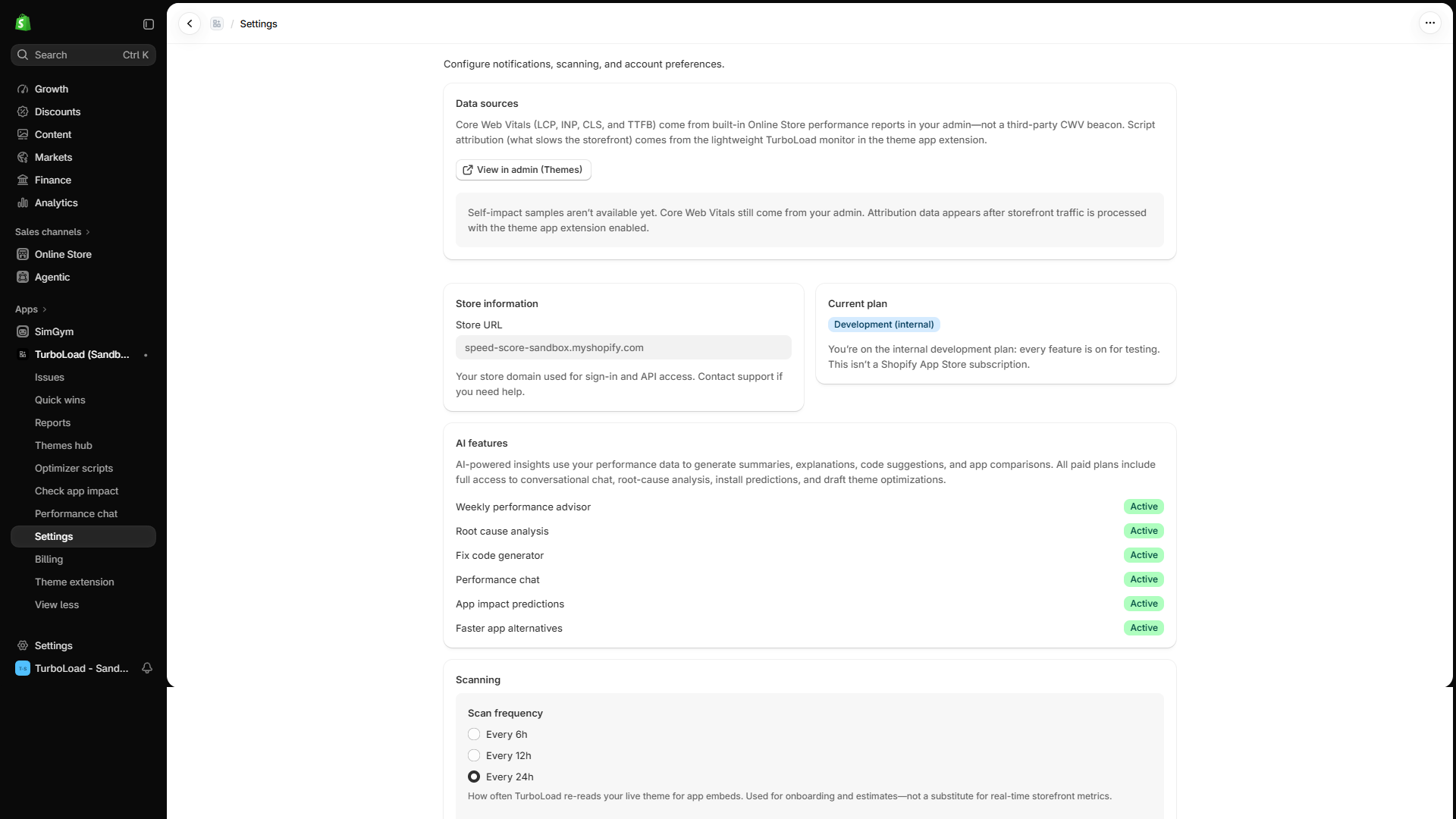
How do I configure speed drop alerts in TurboLoad? #
To configure automated alerts, go to Settings (/app/settings) in TurboLoad, locate the Notifications card, set your preferred Score Drop Threshold (e.g. alert if score drops below 80 or decreases by $>10$ points in 24 hours), enter your team's notification email address or Slack webhook, and click Save. TurboLoad will proactively monitor your store and immediately notify you if a speed regression occurs.
Anomaly Detection & Score Alerts #
Never let an unexpected code release or broken third-party script silently hurt your conversion rates.
1. Alert Thresholds #
- Score Drop Threshold: Set a minimum score boundary (e.g.
80). If your store's score falls below this number, TurboLoad triggers an alert. - Sudden Drop Detection: Triggers an alert if your score drops by more than a specified delta (e.g.
-10 points) within any 24-hour window.
2. Notification Channels #
- Email Notifications: Deliver detailed diagnostic alerts directly to your inbox or distribution list (e.g.,
dev@yourbrand.com). - Notification Frequency: Choose between Immediately, Hourly Digest, or Daily Summary to avoid notification fatigue.
- Weekly Executive Digest: Opt-in to receive a high-level weekly performance scorecard summarizing key metric trends, resolved issues, and top app contributors.
Settings Backup & Restore (JSON Export / Import) #
Managing multiple Shopify stores or want to back up your custom rules before making adjustments?
1. Exporting Settings #
- On the Settings page, click Export Settings.
- TurboLoad generates and downloads a structured JSON configuration backup:
TurboLoad-Settings-<shop-name>-<YYYY-MM-DD>.json - Contains all active thresholds, notification emails, scanning preferences, and script exclusions.
2. Importing Settings #
- Click Import Settings and select a previously exported TurboLoad JSON backup file.
- A preview modal displays the incoming configuration.
- Confirm the import to apply the rules instantly.
Backwards Compatibility:
TurboLoad seamlessly accepts older settings exports created during earlier releases, automatically migrating legacy keys to modern formats.
Multi-Store Operations & Agency Fleet Management #
For brands running multiple regional stores or agencies managing multiple client storefronts:
- Replicate Configurations in Seconds: Export a verified optimizer configuration from your flagship store and import it into expansion or staging stores instantly.
- Consistent SLA Enforcement: Standardize alert thresholds across all brand properties to guarantee high Core Web Vitals everywhere.
- Audit-Ready History: Keep downloaded configuration snapshots in your internal version control repository for change tracking and compliance.